
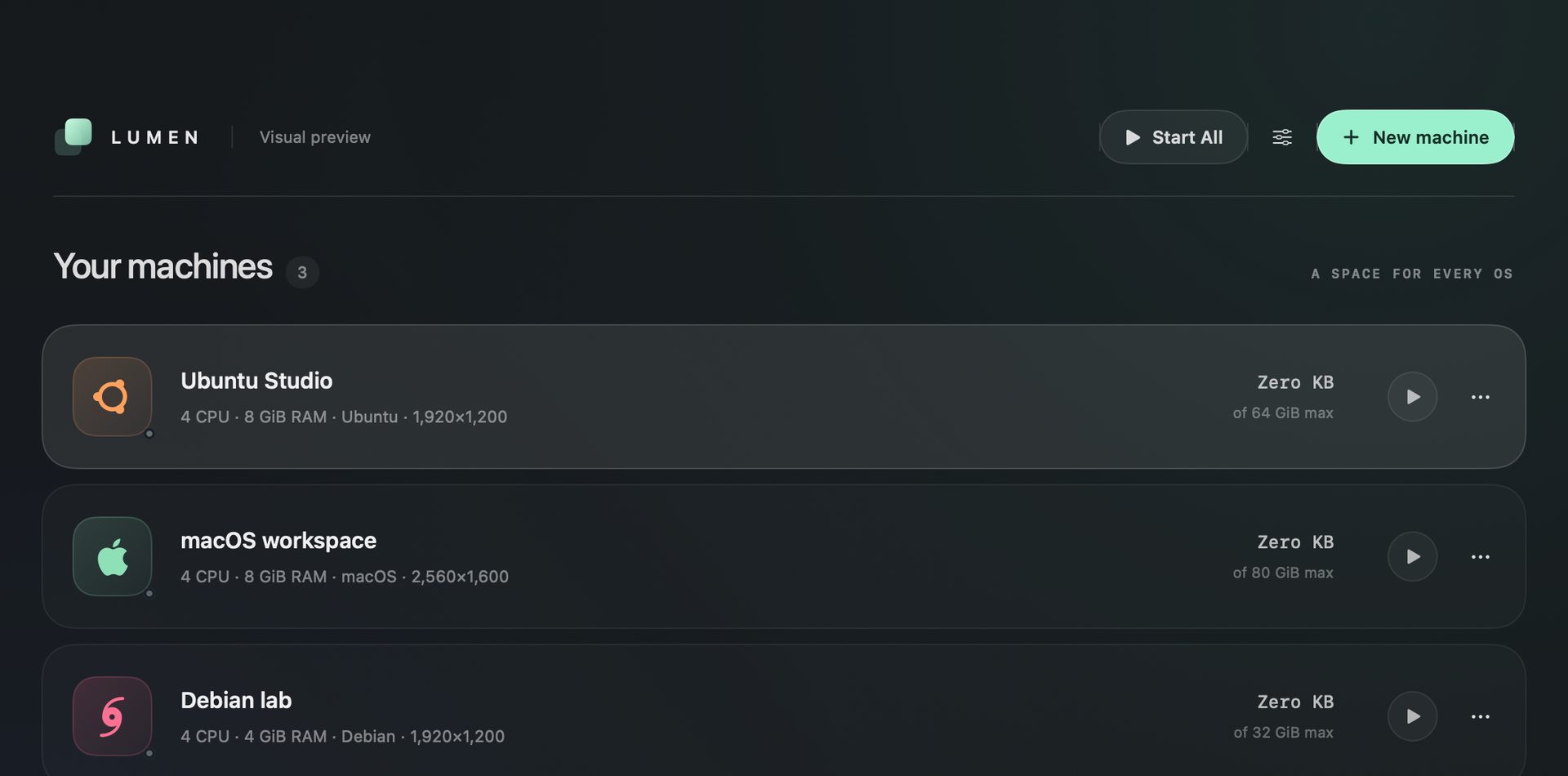
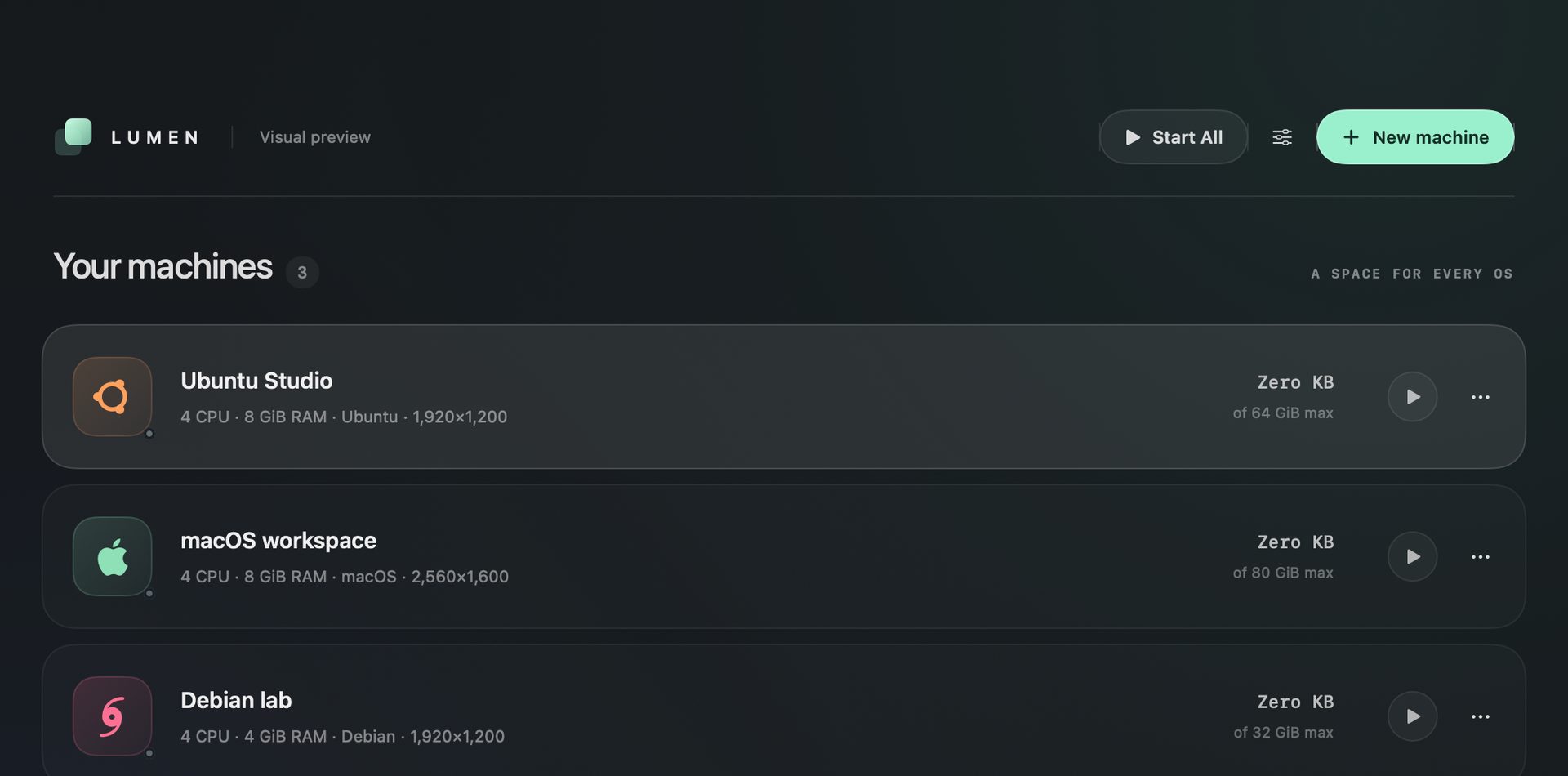
Lumen VM runs virtual machines on an Apple Silicon Mac as a native app. It uses Apple's Virtualization framework for macOS and ARM64 Linux, and QEMU with HVF for Windows 11 ARM, which is experimental. It is free, MIT-licensed, and written in Swift and SwiftUI by MrZaKaRiA.
This post goes deeper than the product page. It is for developers, IT people and business owners on M-series Macs who want a test machine, a Linux box or a clean macOS to break. We cover what Lumen does, how to build it, what changed in 27.1.0 and what it cannot do yet.
What Lumen VM is
Lumen VM is a virtual machine manager, not a wrapper around a web page. The library is a translucent SwiftUI window. Every machine shows its operating system, CPU, RAM, resolution and real disk use.
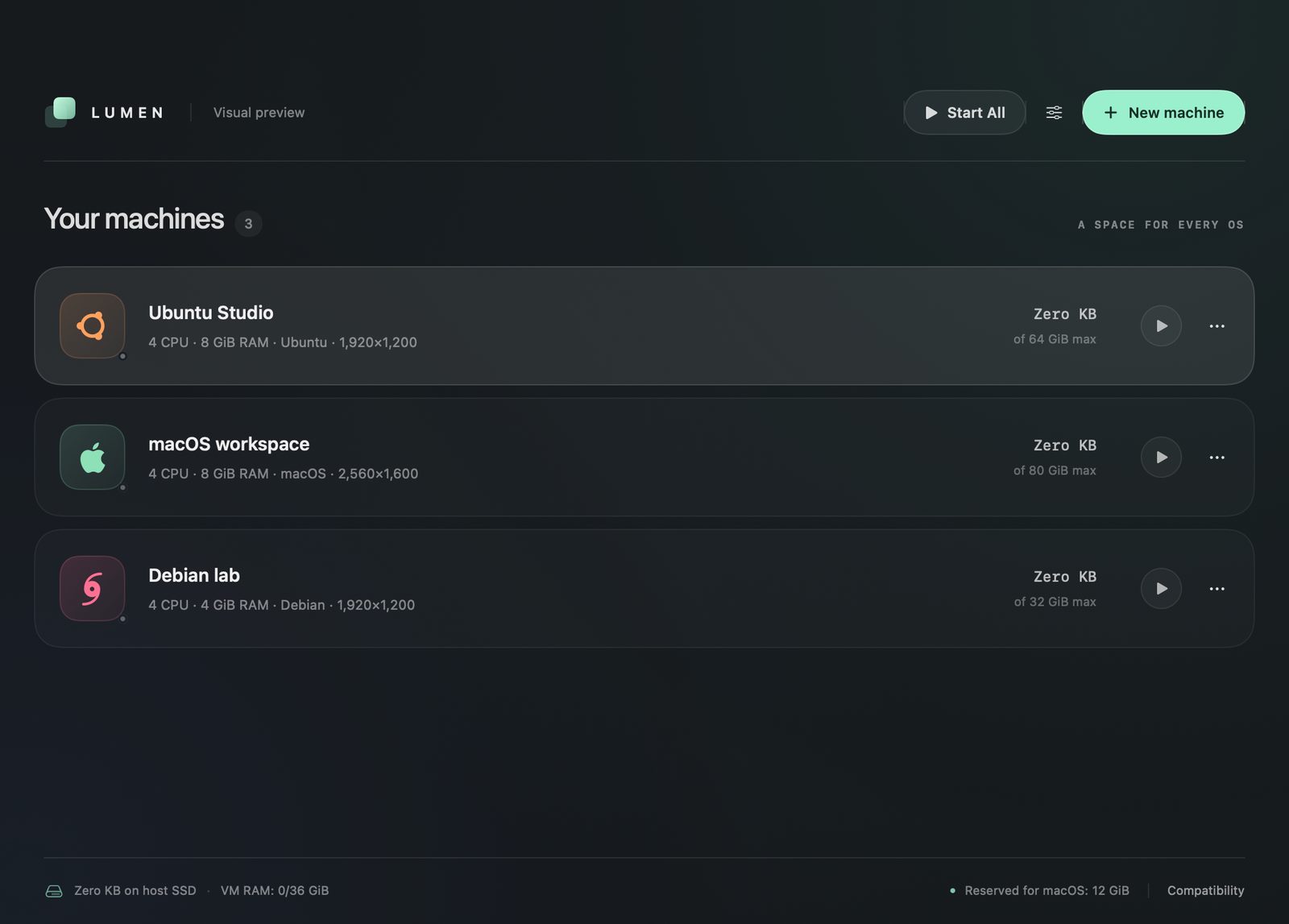
The picture above is the one published in the project's README. The project calls it a visual preview, so read the numbers as a demo, not a benchmark. It shows three machines with 64, 80 and 32 GiB maximums. Each one shows Zero KB used.
The footer is the useful part. It reports space used on the host SSD, the VM RAM budget (0 of 36 GiB in the picture) and the 12 GiB reserved for macOS. You see the cost of your machines before you start them.
Two engines, four support levels
Lumen picks the engine for you. macOS and ARM64 Linux run on Apple's Virtualization framework. Windows 11 ARM64 runs on QEMU with HVF acceleration.
- macOS on Apple Silicon: supported, installed from an IPSW. Acceptance varies by host and macOS release.
- Ubuntu, Debian, Fedora and other ARM64 Linux: supported, with compatible ARM64 UEFI media.
- Void Linux and Abyss Linux: tested. The project notes that installed Abyss was tried with clipboard, a shared Desktop, runit tools and a separate Dock app.
- Windows 11 ARM64: experimental, on QEMU with HVF.
- Android and ChromeOS: no backend, so not supported.
You bring the installer. Lumen does not ship ISOs or IPSW files, and guest systems keep their own licences. For macOS guests there is a shortcut: the new-machine flow can download the latest supported restore image.
The host must be an Apple Silicon Mac (M1 or later) on macOS 14 Sonoma or later. Intel Macs are not supported.
Disks that cost what you write to them
This is the feature that changes daily life. Lumen disks are sparse. The capacity you set is a limit, not a reservation. A new 64 GB disk costs your SSD almost nothing, because blocks are allocated only when the guest writes them.
A virtual disk should cost what you write to it, not what you might need one day.
The library shows allocated blocks, so the number is honest. You can grow a stopped disk later if you guessed too small. Shrinking is blocked, and so is deleting the disk of a running guest.
Linux guest tools also enable fstrim.timer, so freed space can flow back to the Mac. There is a catch. Deleting files inside a guest may need TRIM or compaction before macOS reclaims the space. Dragging a VM to the Trash keeps its storage until you empty the Trash.
Daily use: windows, folders and guest tools
Each macOS or Linux guest runs in its own app process with its own Dock icon. Close the window and the machine keeps running. Click its tile to bring the window back. Lumen's library stays separate from the guests.
Start, pause, resume and shut down work per machine, and Start All handles the lot. Display, sound, microphone, shared folders and login helpers are set per machine. Shut a guest down before you change its hardware.
Shared folders with a read-only switch
Share only what the guest should see. You choose Mac folders one by one, and each has its own read-only switch. Linux uses VirtioFS. Windows uses a private SMB2 share, so macOS LAN File Sharing stays off. A project folder read-write and Downloads read-only is a sensible start.
One-click Linux guest tools
Lumen types the setup into the guest terminal for you. It installs the SPICE text clipboard, shared folders, X11 desktop startup and Void runit services. You authenticate inside Linux when sudo asks. After that, Command-C and Command-V carry text between the Mac and the guest.
Rosetta and nested virtualization
Both are opt-in and arrived in 27.1.0. With Rosetta on, x86-64 Linux binaries run inside an ARM64 Linux guest, because the guest tools register Rosetta with binfmt. Nested virtualization lets you run a hypervisor inside a guest. It needs an M3 or later and macOS 15.
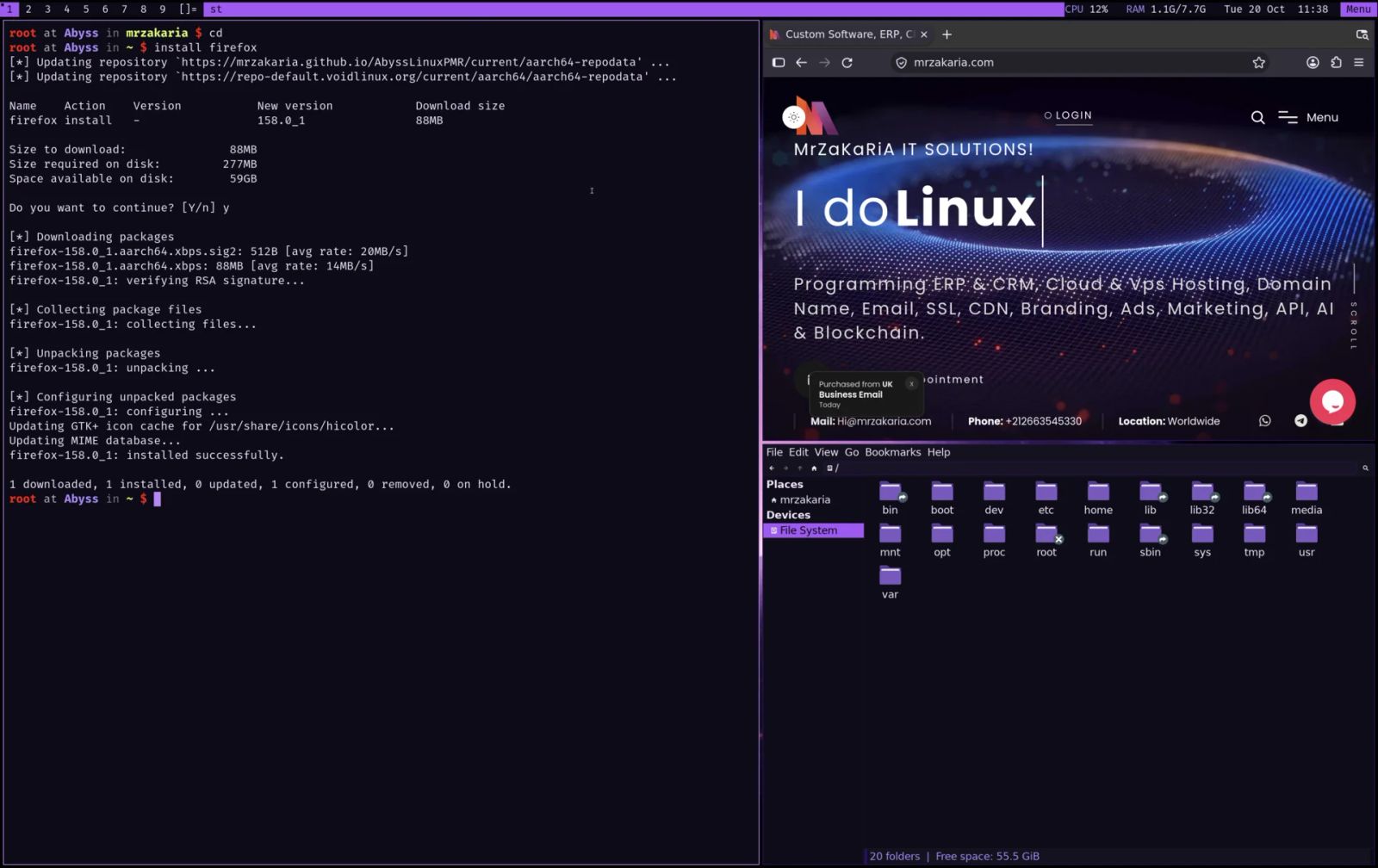
Here is Abyss Linux, the owner's own distribution, running as an ARM64 guest on an Apple Silicon Mac. A terminal installs Firefox with xbps while dwm tiles the windows.
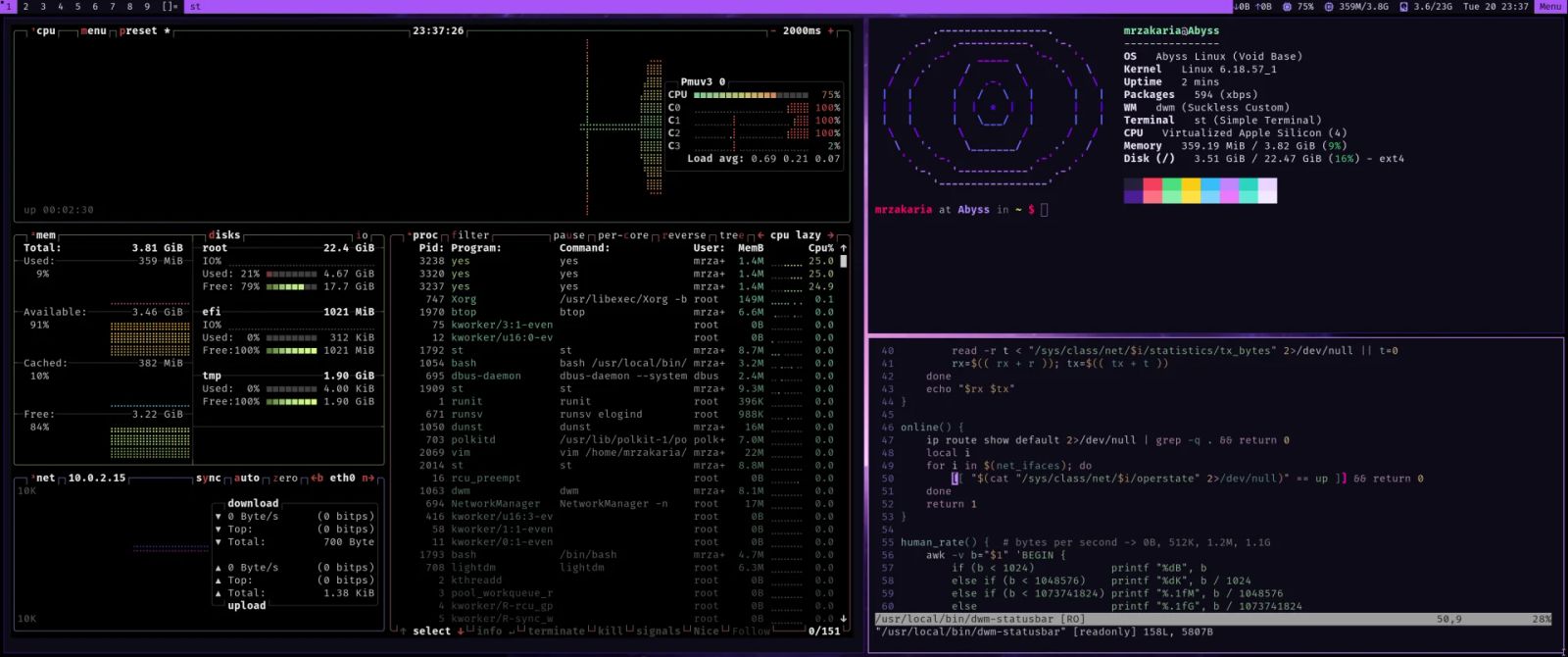
The same guest, with btop and a fetch panel open, reads Virtualized Apple Silicon (4) as its CPU. It uses about 360 MiB of 3.8 GiB of memory. A small guest like this leaves most of your RAM for macOS.
What changed from 27.0.0 to 27.1.0
The first release, v27.0.0, appeared on October 11, 2026. Version 27.0.1 and v27.1.0 both followed on October 21. Both are source releases.
The 27.0.1 changelog describes separate app processes and Dock tiles for macOS and Linux guests, exclusive locks that reject duplicate starts on the same disk, and Linux clipboard and shared-folder fixes. It also added driver preparation and private folder sharing for Windows.
Version 27.1.0 is about hardening, speed and three opt-in features.
- Security: release builds load only the QEMU helper sealed into the app signature, and the app is signed with the hardened runtime. The unused hypervisor entitlement is gone.
- Windows trust: guest commands check a random marker on the setup disc, so a spoofed ISO with the same label is not executed. VirtIO drivers are checked against a committed SHA-256 manifest.
- Credentials: shared-folder logins are stored per Windows user with cmdkey, not in a world-readable script.
- Performance: QEMU gets an explicit CPU topology, an unchanged Windows setup ISO is reused, and the library polls disk use only while a machine is active.
- New features: opt-in Rosetta, opt-in nested virtualization, and the macOS restore-image download.
Read the fine print. The changelog says these 27.1.0 changes have not yet been exercised against live Windows or Linux guests. The 42 core tests and the display-redraw regression pass, but that is not the same thing.
Building Lumen from source
There is no installer. Version 27.1.0 ships as a 5.7 MB source archive, and you build your own Lumen.app. The script fetches pinned, checksummed drivers and guest tools over HTTPS. Then it compiles a release build and signs it on your Mac. No account is involved.
- Check the requirements: Apple Silicon, macOS 14 or later, Xcode or the Command Line Tools with Swift 5.9 or newer, and Homebrew.
- Clone github.com/MrZaKaRiA/LumensVM, or download the source zip, and check out v27.1.0.
- Verify the archive against the published checksums with shasum -a 256 -c SHA256SUMS.
- Install the dependencies: brew install qemu swtpm python@3.14 sevenzip.
- Run bash scripts/build.sh, then open build/Lumen.app.
- Press Command-N, drop an ISO or IPSW on the library, and set CPU, RAM and a maximum disk size.
The result is ad-hoc signed. It is not Developer ID signed and not notarized. That is fine on the Mac that built it. It is a reason to build, not download, if you plan to hand it to colleagues.
Windows needs more. It uses Homebrew QEMU and ARM64 firmware, swtpm for the TPM, and Python 3.14 for private folder sharing. These runtimes take extra disk space and are not bundled.
Honest limits
Lumen says plainly what it does not do. Read this before you plan work around it.
- Windows 11 ARM is experimental. It has a 2D display only, with no Direct3D or Metal acceleration.
- Snapshots, clones and Parallels import are not implemented.
- There is no native Wayland clipboard, file clipboard or printer sharing.
- No notarized installer is published yet.
- Intel Macs, Android and ChromeOS are out.
- A full fresh-install Windows run still needs testing, according to the 27.0.1 notes.
Picture a small agency with a few developers on M-series MacBooks. Lumen suits them for throwaway Linux test boxes and a clean macOS to test an installer. It does not suit a design team that needs Windows with 3D today. And a VM on a laptop is not a server. It sleeps when the laptop does.
If you need Linux in production, that is our server management work. If you want a tool built around your workflow, see what we code.
Frequently asked questions about virtual machines on Apple Silicon Mac
Which Macs can run Lumen VM?
Any Apple Silicon Mac, M1 or later, running macOS 14 Sonoma or newer. Intel Macs are not a supported host. Nested virtualization needs more: an M3 or later with macOS 15. Lumen is free and open source under the MIT license.
Does a virtual disk take its full size on my SSD?
No. Lumen disks are sparse, so the capacity is a limit, not space reserved upfront. A 64 GB disk uses only what the guest has written. You can grow stopped disks later, and Linux guests can return freed space through fstrim.
Can I run Windows in Lumen?
Windows 11 ARM64 runs through QEMU with HVF, but it is experimental. The display is 2D only, and snapshots and clones are missing. It also needs Homebrew QEMU, swtpm and Python 3.14. Bring your own installer and licence.
Can Linux guests run x86-64 programs?
Yes, with opt-in Rosetta. The Linux guest tools register Rosetta with binfmt, so an x86-64 Linux binary runs inside an ARM64 Linux guest. The option arrived in version 27.1.0 and is set per machine.
Is Lumen notarized, and is it safe to run?
It is not notarized. You build it on your own Mac, and it is ad-hoc signed with the hardened runtime. You can read all of the source. Verify the download checksum. The hardening notes are the project's own claims, not an independent audit.
Where to go next
Start at the Lumen VM page for the download and the full requirements. Pair it with Abyss Linux for a light Linux guest. If you want help with Linux machines, a server or a custom tool, get in touch.
Related articles