
An AI knowledge base for company documents lets staff ask questions in plain language and get answers drawn from your own files, with a link to the source. The technique is called retrieval-augmented generation, or RAG. It finds the right passages first, then asks the model to answer using only those.
Every company has the answer somewhere: a PDF policy, a supplier contract, an old email, a wiki page nobody updates. Search finds files. An AI knowledge base finds answers. It also fails in predictable ways: wrong permissions, stale files, answers with no source. This guide shows how to avoid each one.
How it works, without the jargon
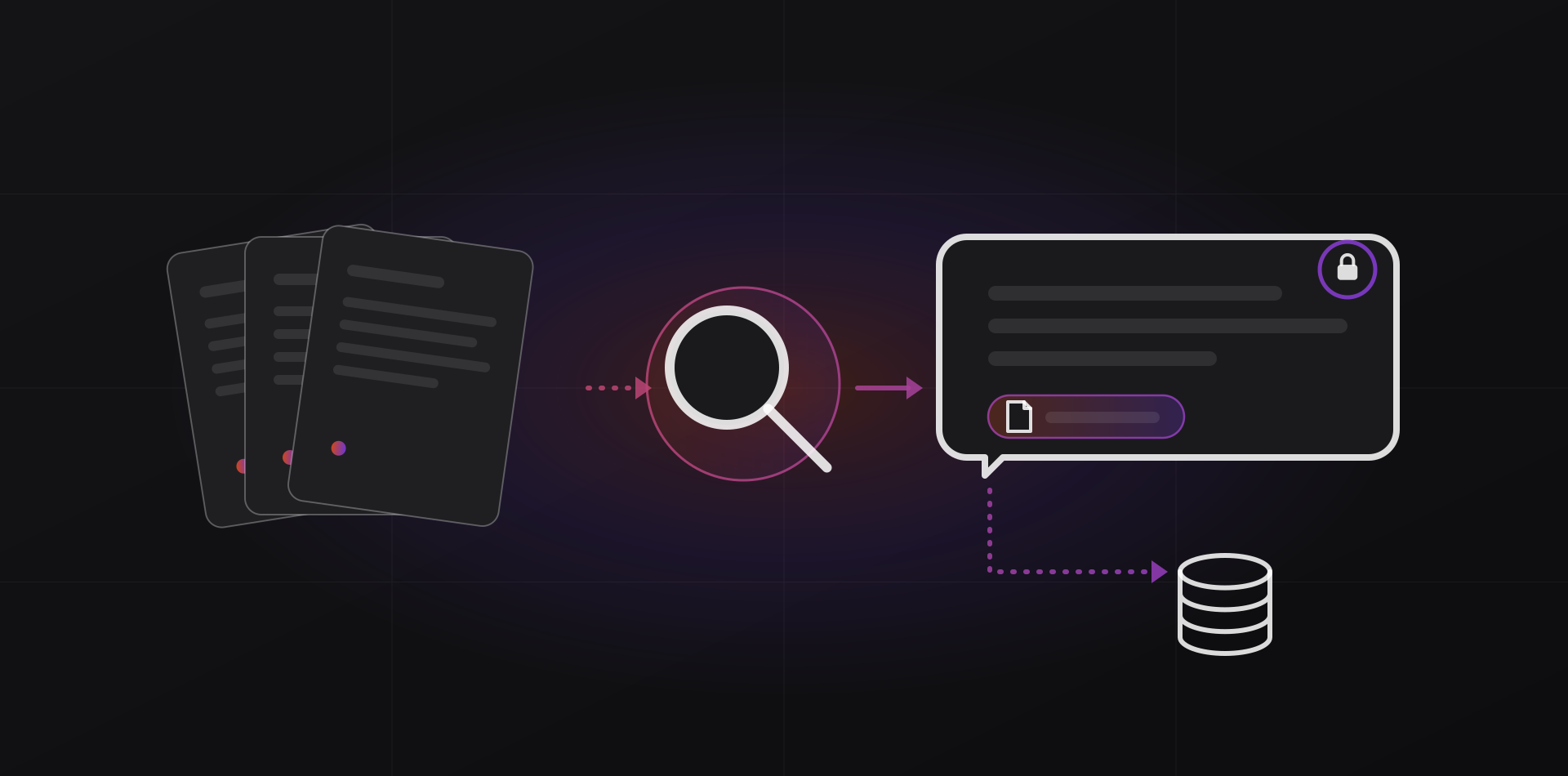
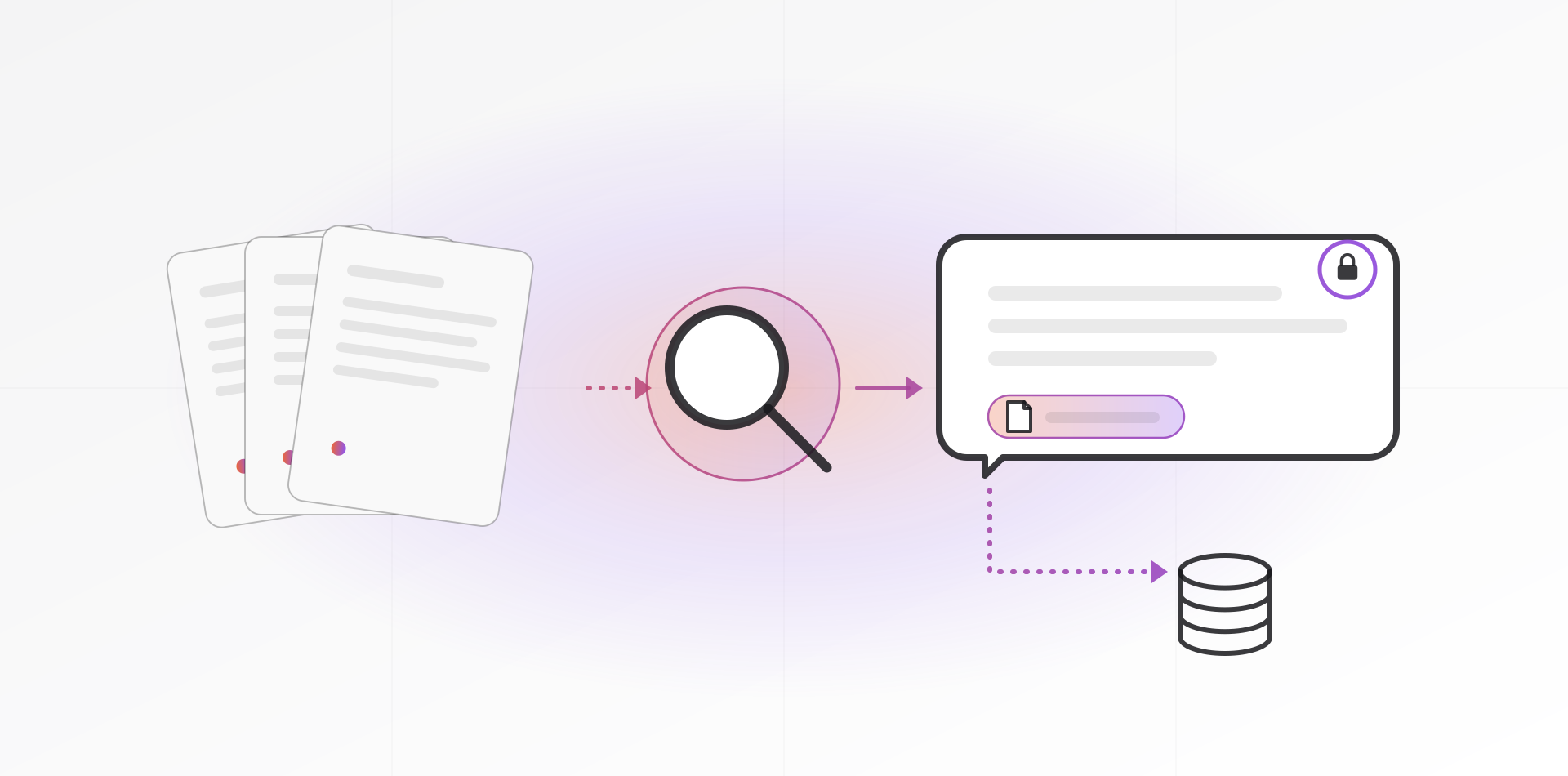
Think of a good librarian. A language model on its own knows nothing about your company, and you can't paste every document into every question. RAG adds a librarian in front of the model. It works in four steps.
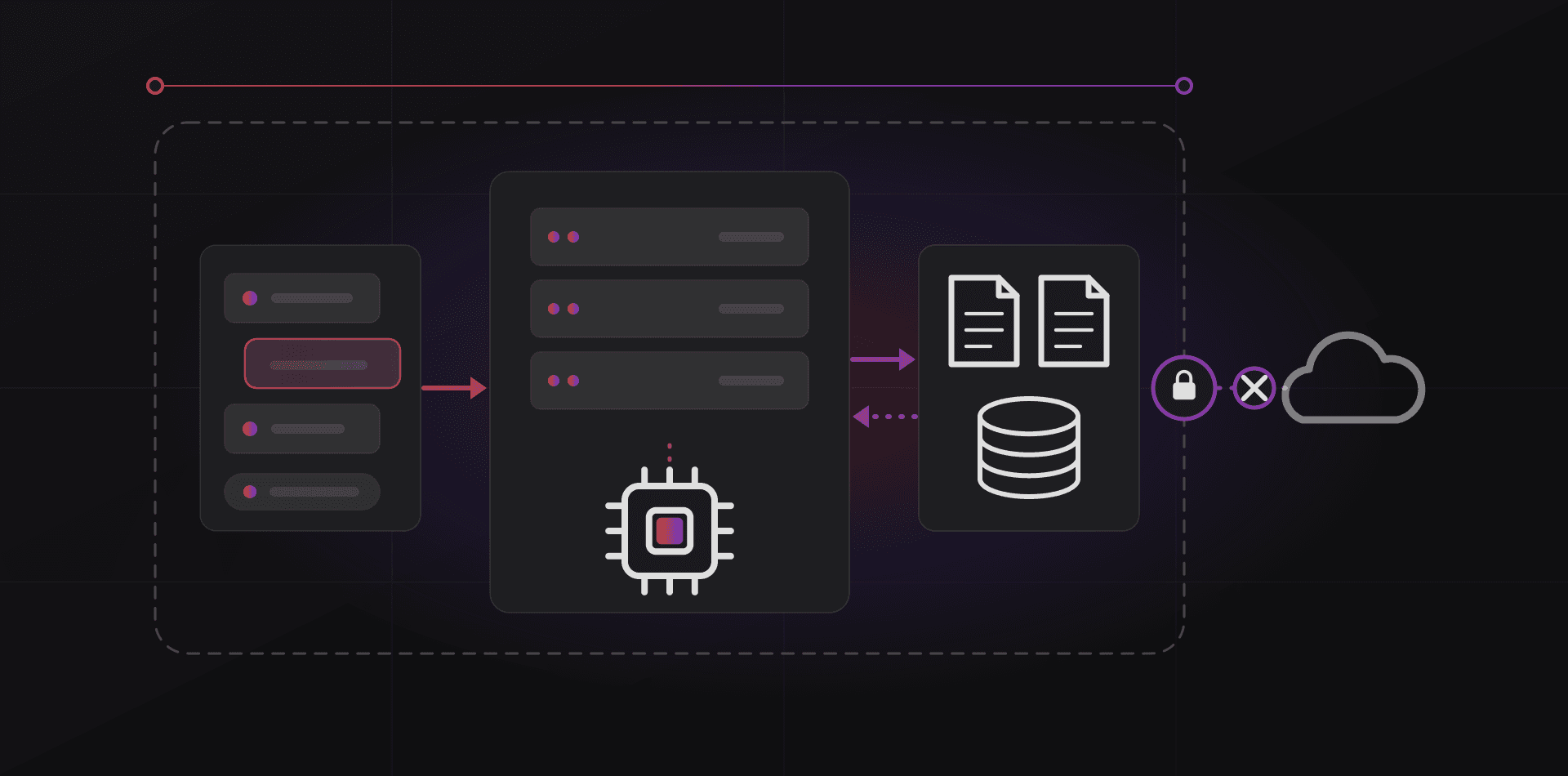
- Collect: your documents are read and split into short passages, often called chunks.
- Index: each passage is stored with a numeric fingerprint, called an embedding, that captures its meaning. That is how a question about "holiday allowance" finds a passage about "annual leave".
- Retrieve: when someone asks a question, the system finds the few most relevant passages, and only those the person is allowed to see.
- Answer: the model receives the question plus those passages and writes a reply that cites them.
The idea comes from a 2020 research paper, Retrieval-Augmented Generation for Knowledge-Intensive NLP Tasks. The diagram below shows both halves: preparing the documents once, and the path every question takes.
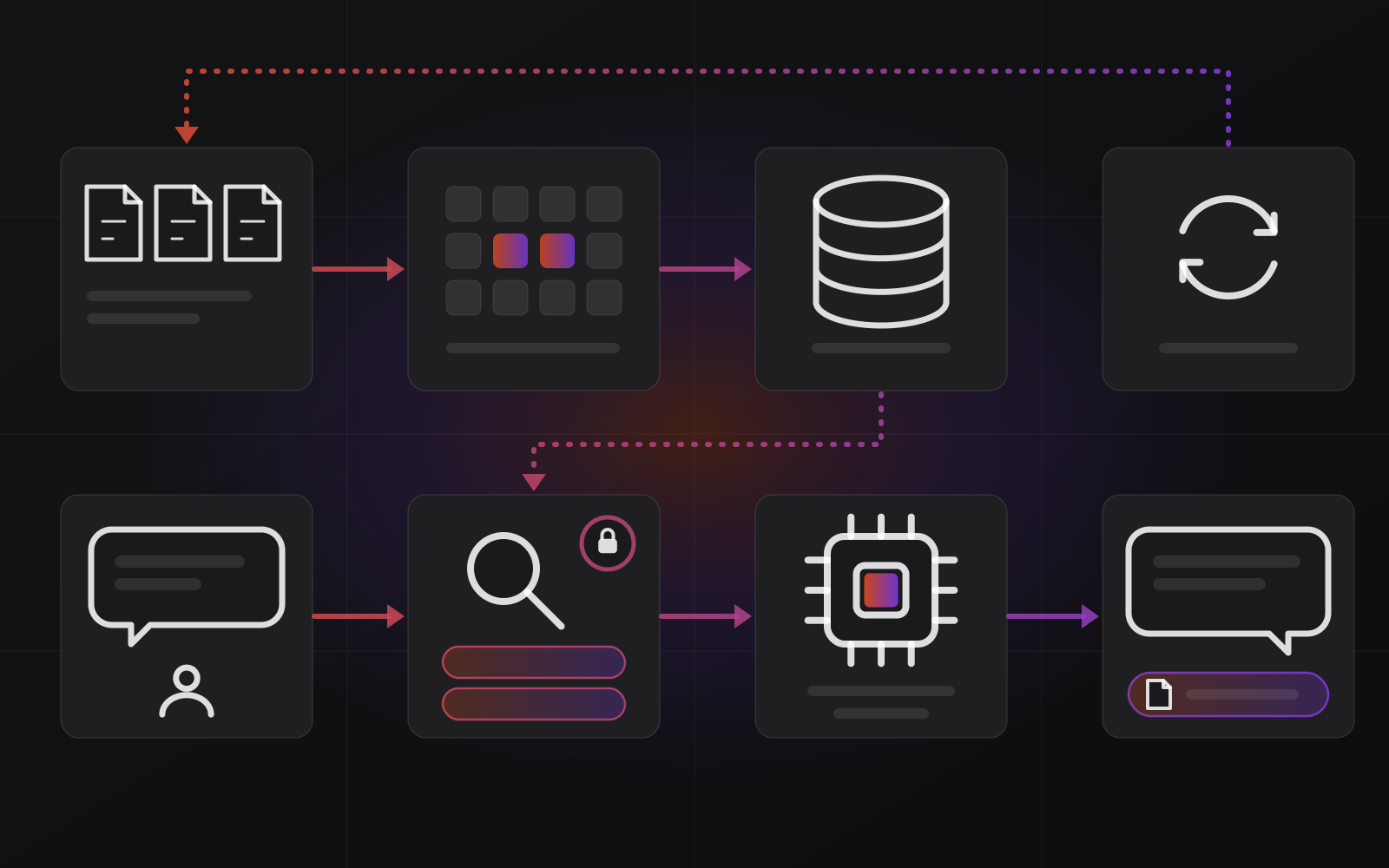
The model doesn't learn your documents. It reads the retrieved passages fresh for every question. That is why you can update a policy tonight and get the new answer tomorrow, with no retraining. Fine-tuning a model on your files is a different, costlier technique, and rarely the right start.
Collect and clean your documents first
Most disappointing results trace back to the documents, not the model. Garbage in, confident garbage out. A cleanup pass is the cheapest improvement you will make, and it helps your human staff too.
- Start small: one department or one kind of question, such as HR policies, product manuals or supplier terms.
- Keep the current version only. Remove drafts, duplicates and files named final_v2_REAL.docx.
- Record an owner and a date for each document, so someone is responsible for keeping it right.
- Run OCR on scanned PDFs, for example with the open-source Tesseract engine, and spot-check the result. A scan is just a picture until it is OCR'd.
- Check tables and forms. PDF tables often extract as jumbled text.
- Leave out what should never be indexed: personal files, passwords, HR case files, anything with no business reason.
- Resolve contradictions. If two policies disagree, the assistant will quote either one.
Permissions: who can see what
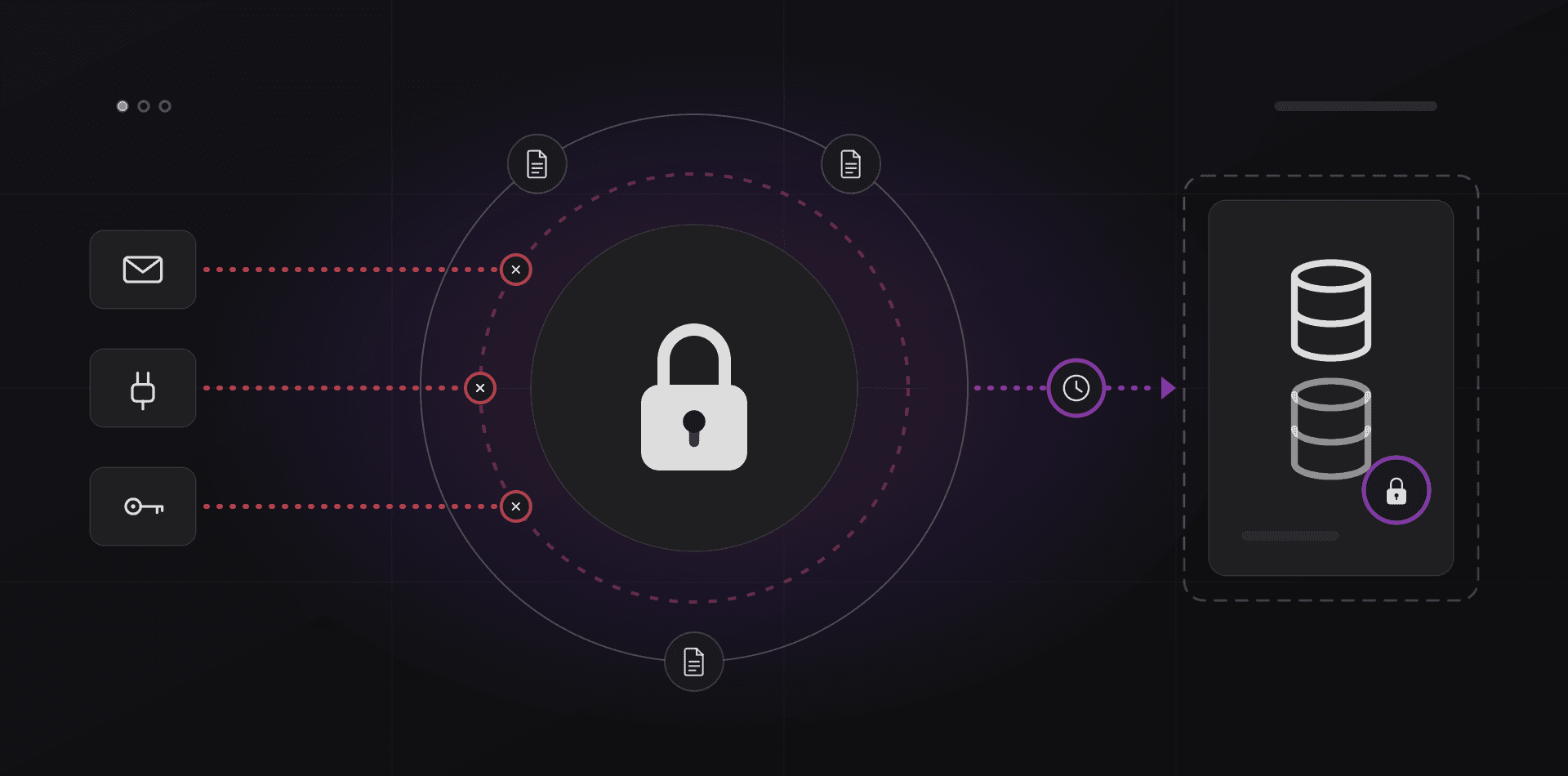
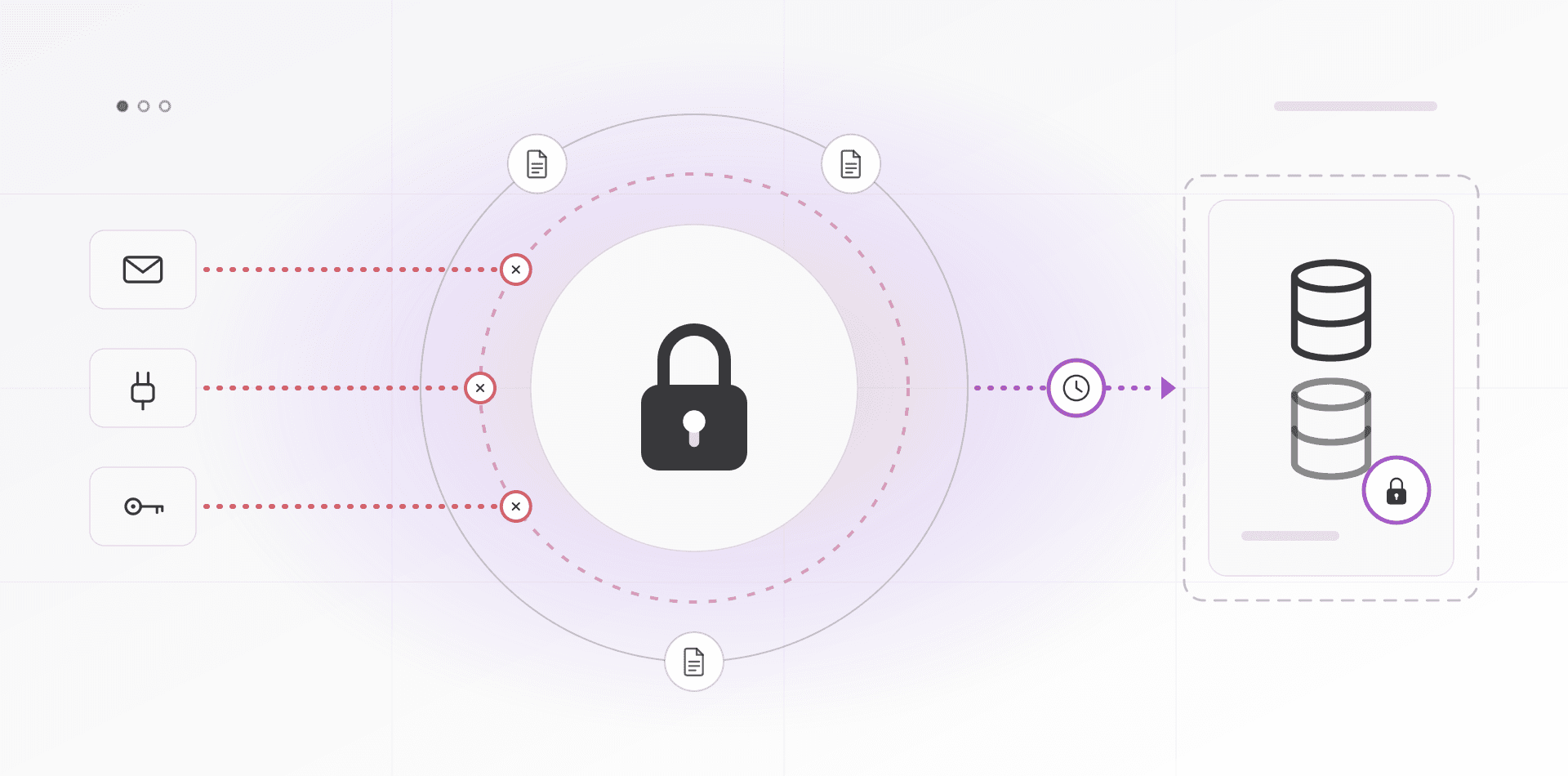
This is the section that matters most. If the assistant can read the whole file server, then anyone can ask it for the salary spreadsheet. It is the classic failure of a rushed project.
The right design enforces permissions at retrieval, before the model sees anything. Every passage in the index carries the access rules of its source document: department, group or named users. Each search filters by the identity of the person asking. A prompt that says "never reveal HR files" is not security. A model can be talked out of an instruction. It can't be talked into reading a passage it was never given.
In practice, use single sign-on so the system knows who is asking, such as your Active Directory or Google accounts. Mirror your folder permissions into the index. Re-sync when permissions change, because a person who leaves the finance team must lose finance answers the same day. Then test with two accounts, one senior and one junior. OWASP's list of top risks for LLM applications includes sensitive information disclosure and weaknesses in how vectors and embeddings are stored and retrieved.
Citations: every answer shows its source
Each answer should show where it came from: document title, section or page, date, and a link that opens the original. Staff can then verify in ten seconds. Trust builds fast, and wrong retrievals get caught.
An answer without a source is a rumor.
The assistant must also be allowed to say "I couldn't find this in the documents". Make that a valid outcome, not a failure. A system that always answers will sometimes invent.
One caveat. A citation shows what was retrieved, not that the model read it correctly. For legal, safety or financial decisions, a person opens the source before acting.
Keeping it up to date
An index that falls behind is worse than no index, because it is confidently wrong. Treat freshness as a feature you build, not a chore you remember.
- Re-index automatically when a file changes. Remove it from the index when it is deleted at the source.
- Keep one live version of each policy. Archive the old ones outside the index.
- Show the document date next to every citation, so staff notice old material.
- Name an owner for each collection. Send them a monthly digest of stale files and unanswered questions.
- Read the "no answer" log. Each entry is either a missing document or a badly written one.
When a policy changes, update the document, never the AI. The assistant should have no private memory that can drift away from the files.
Local models or cloud models
Two parts can run locally or in the cloud: the step that turns text into embeddings, and the model that writes the answer. With a cloud model, the question and the retrieved passages travel to the provider on every query. With a local model, both stay in your building.
You have three realistic options. All-cloud, under business terms, is fastest to start and gives the strongest answers. All-local keeps every byte in-house, at the cost of a weaker model and hardware to run; our guide to running AI on your own server covers that. Mixed sends only non-sensitive collections, like public product manuals, to the cloud, while HR and contracts stay local. Decide per collection, not per company.
For storage, a vector extension such as pgvector keeps the index inside PostgreSQL. Open WebUI includes a basic document chat that is fine for a pilot.
One honest warning. If your documents already live in Microsoft 365 or Google Workspace, try the assistant those suites sell first. They already know your permissions. Build your own when documents are scattered across systems, when data can't leave, or when you need your own rules.
Test with real questions before anyone relies on it
Build a test set before launch. Collect 30 real questions from your support inbox, from HR and from the colleague everyone always asks. Write down the correct answer and the source document for each.
- Easy lookups with a single clear answer.
- Questions whose answer sits in two documents.
- Questions the documents don't answer. The correct reply is "I don't know".
- Permission traps. Ask as a junior employee about salaries or board minutes.
- Old-versus-new traps. Ask about a policy that changed last year.
Run the set and mark every answer as correct, partly right, wrong, right answer from the wrong source, or properly refused. Re-run it after every change to the documents, the chunking or the model. A drop in score tells you something broke before a customer does.
Then pilot with five to ten users for two weeks. Add a thumbs up or down and a "report a wrong answer" button. Fix the documents before you tune the AI. Most of the time the documents were the problem.
Frequently asked questions about an AI knowledge base
What is retrieval-augmented generation (RAG) in simple terms?
RAG means the system looks things up before it answers. It searches your documents for passages that match the question, hands those passages to a language model, and asks it to answer from them. The model works from your files and can show which ones it used.
Do I need to train a model on my documents?
Usually not. Training or fine-tuning is slow, costly and goes stale the moment a document changes. With RAG, the model reads current passages at question time, so updating a file updates the answers. Fine-tuning helps with style or specialist formats, not with keeping up with facts.
Is it safe to put confidential documents into an AI knowledge base?
It can be, if permissions are enforced at retrieval and you know where data goes. Check whether a cloud model sees your passages, read the vendor's data terms, keep sensitive collections on local models if needed, and test access with real user accounts before launch.
Can it read scanned PDFs, spreadsheets and emails?
Scanned PDFs need OCR first. Word, PDF and email text work well. Spreadsheets are weaker: questions about totals and trends belong in your ERP or in reports, where the numbers are calculated, not in text retrieval. Retrieval is for words, not arithmetic.
How often should the index be updated?
Automatically, whenever a source file changes, with deletions removed too. A nightly sync is a minimum for living documents like policies and price lists. Show each document's date beside the answer so staff can judge how fresh it is.
Where to go next
If you want a pilot on your own documents, with permissions and citations built in, see our AI services and AI automation work. The same retrieval layer can sit behind a customer-facing bot; read about the AI customer service chatbot for what that adds.
Related articles