
Local AI for business means running an open-weight language model on a server you own, so prompts and documents never leave your network. It handles drafting, summarizing, sorting and internal Q&A well. It trails the best cloud models on hard reasoning. Whether it fits depends on your data, your volume and who maintains it.
This guide is for owners who handle confidential material, pay per seat for AI tools, or keep finding staff pasting client text into public chatbots. Below: the reasons, the models and tools, the hardware, the limits and a pilot you can start on a spare machine.
Why run AI on your own server
Three reasons come up again and again. The first is privacy. When the model runs in your office or in a data center you control, your prompts and documents don't pass through anyone else's systems.
The second is data that can't leave. Client NDAs, medical records, legal files, unreleased designs and payroll all fall here. Some contracts and regulators restrict where personal data may go. In Morocco, Law 09-08 covers personal data, and the EU's GDPR has its own rules for transfers. Ask your lawyer which ones touch you. A local model keeps that conversation short.
The third is predictable cost. Cloud AI is billed by usage, so a busy month means a bigger bill. A local server is a fixed cost: hardware, electricity and some admin time. Be honest with yourself here. At low volume the cloud is usually cheaper. Local AI is not cheaper by default. It is cheaper when you use it every day.
Cloud is not automatically unsafe, either. Major providers publish their data-handling terms, and many business plans say they won't train on your inputs. Go local when those terms are not enough, not when they are merely inconvenient.
Local usually fits when most of these are true:
- A contract, regulator or client says the data stays in-house.
- Staff already paste confidential text into public chatbots, and a policy alone won't stop them.
- You expect steady daily use by several people.
- Someone, in-house or a partner, will patch and monitor a server.
What runs locally today
Open-weight models are models whose trained files the maker lets you download and run yourself. The families most small businesses meet are Llama from Meta, Mistral from Mistral AI, Qwen from Alibaba and Gemma from Google. Each comes in several sizes, from a few billion parameters to hundreds of billions.
"Open-weight" is not the same as "open source". You get the model file, but the license sets the rules. Some licenses are permissive. Others add conditions on commercial use or on very large companies. Read the license of the exact model you plan to deploy, and keep a copy.
New versions arrive every few months, so names matter less than testing. A mid-size model often beats a giant one on a narrow job such as sorting support emails. Try two or three families on your own documents before you buy anything. Test the languages your staff really use, French and Arabic included.
The tools: Ollama, llama.cpp, vLLM and Open WebUI
You don't run a model file by hand. You run it through an inference server, then give people a chat screen. Four names cover most setups.
- Ollama: the easiest start. One command downloads a model and runs it, and it exposes a local API that other tools can call.
- llama.cpp: the open-source engine under many desktop tools. It runs on ordinary CPUs and on many kinds of GPU, using compressed model files in the GGUF format.
- vLLM: a serving engine built for GPUs and many simultaneous users. Pick it when twenty people are waiting on the same server.
- Open WebUI: the chat screen your staff actually see. It connects to Ollama or to any OpenAI-compatible server, and it supports multiple users.
A typical pilot is Open WebUI on top of Ollama, on one machine. A typical production setup swaps Ollama for vLLM and adds a reverse proxy, single sign-on and backups. The documentation for Open WebUI and vLLM is good and current.
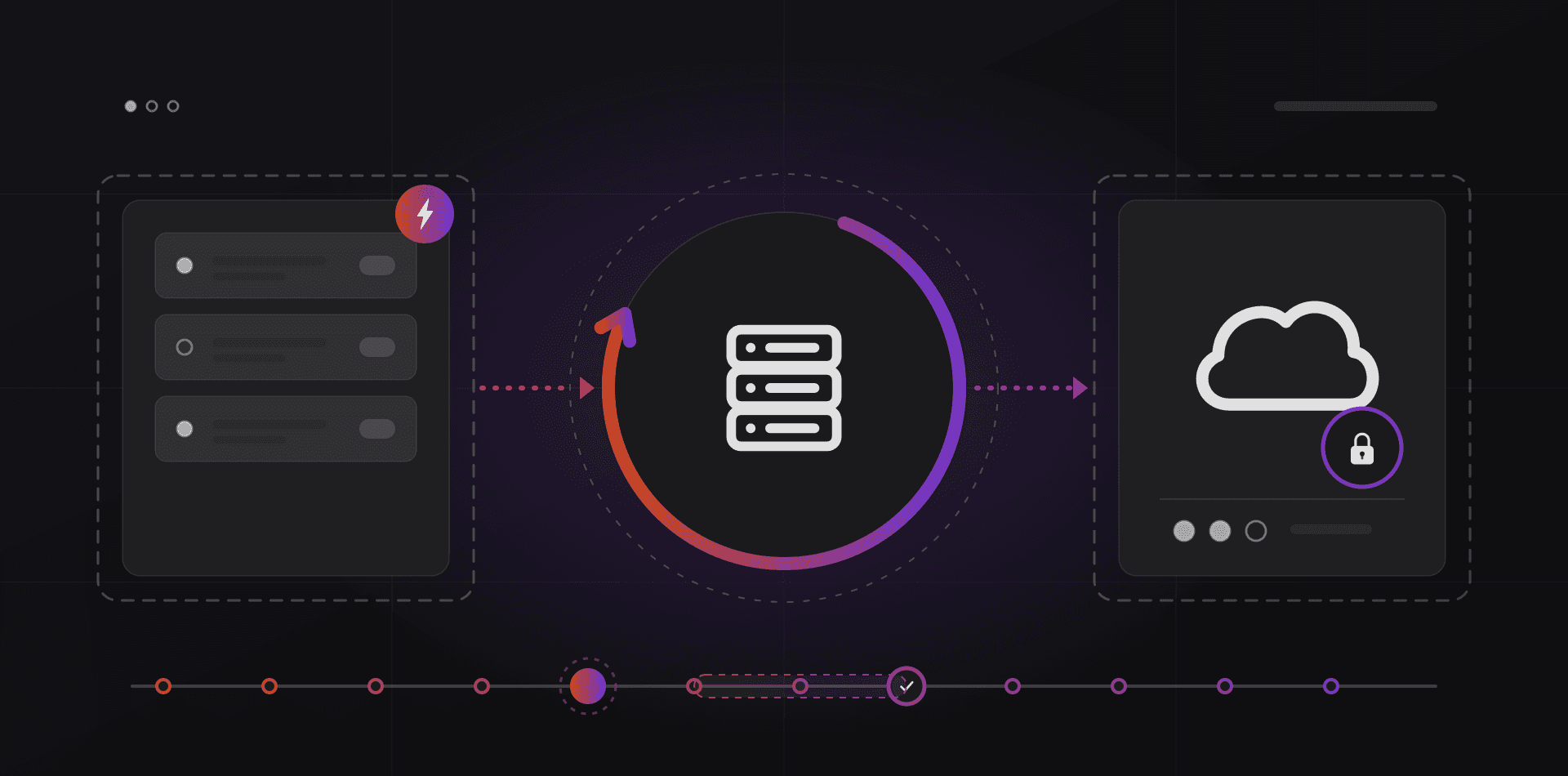
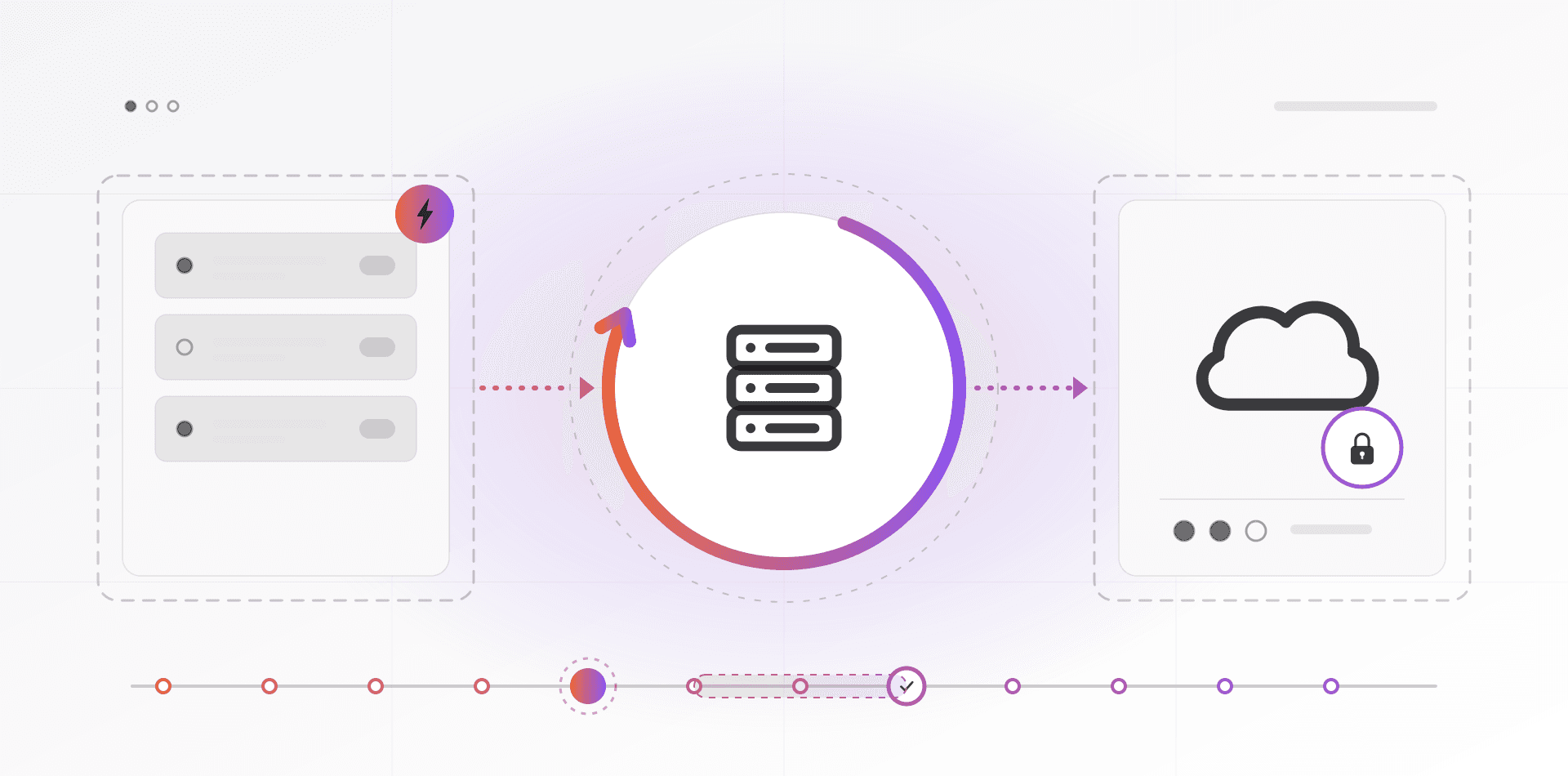
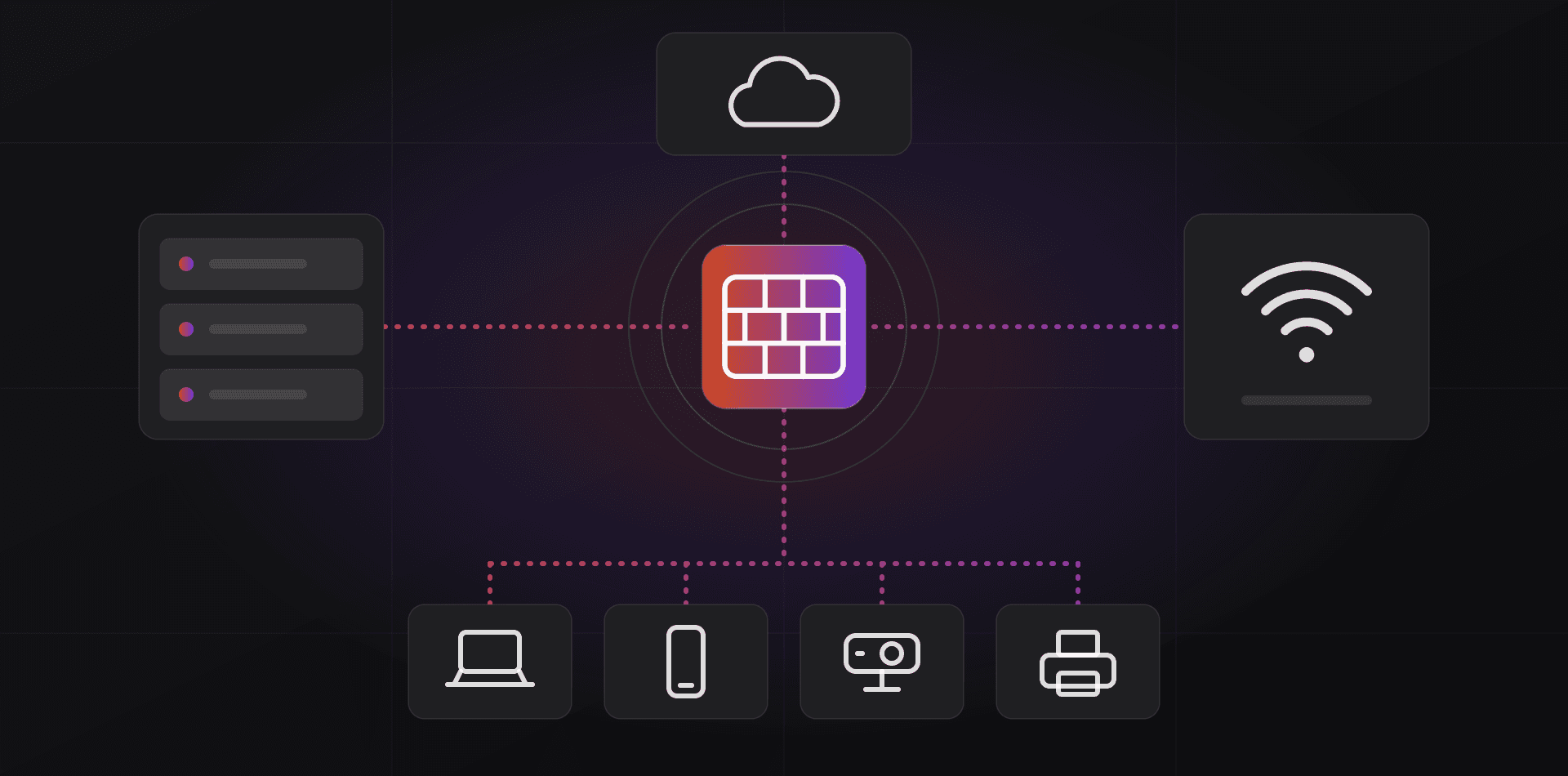
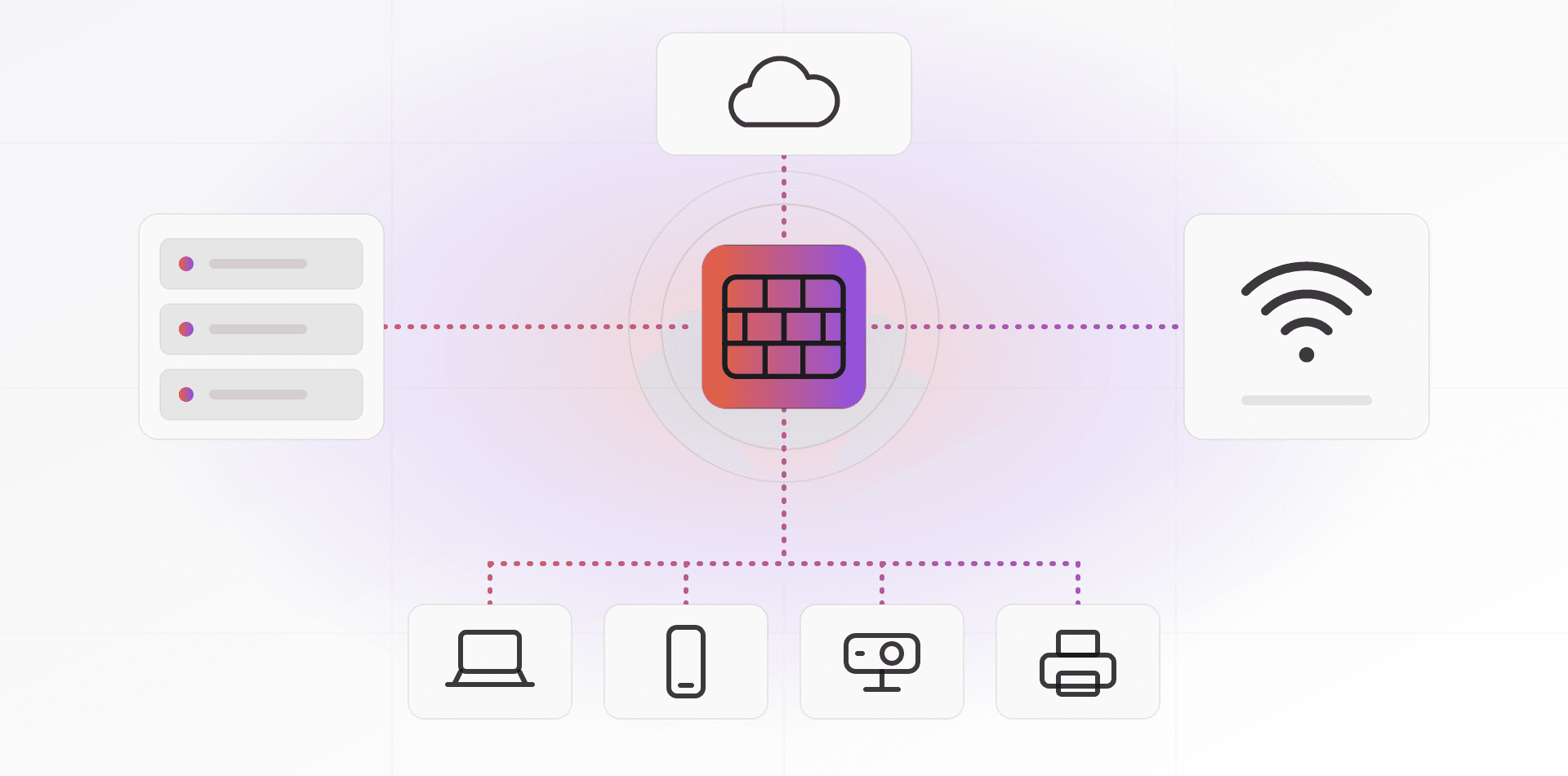
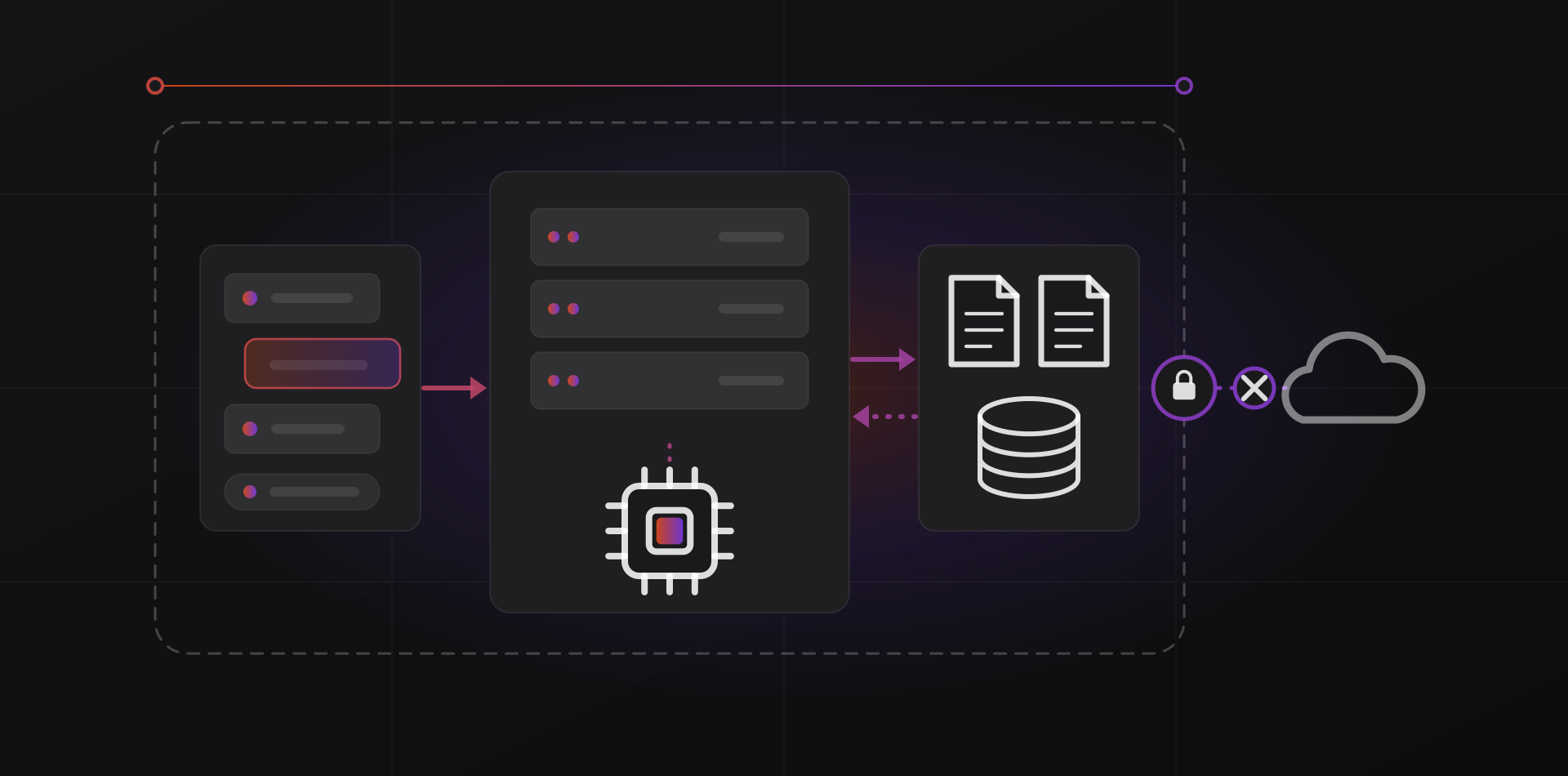
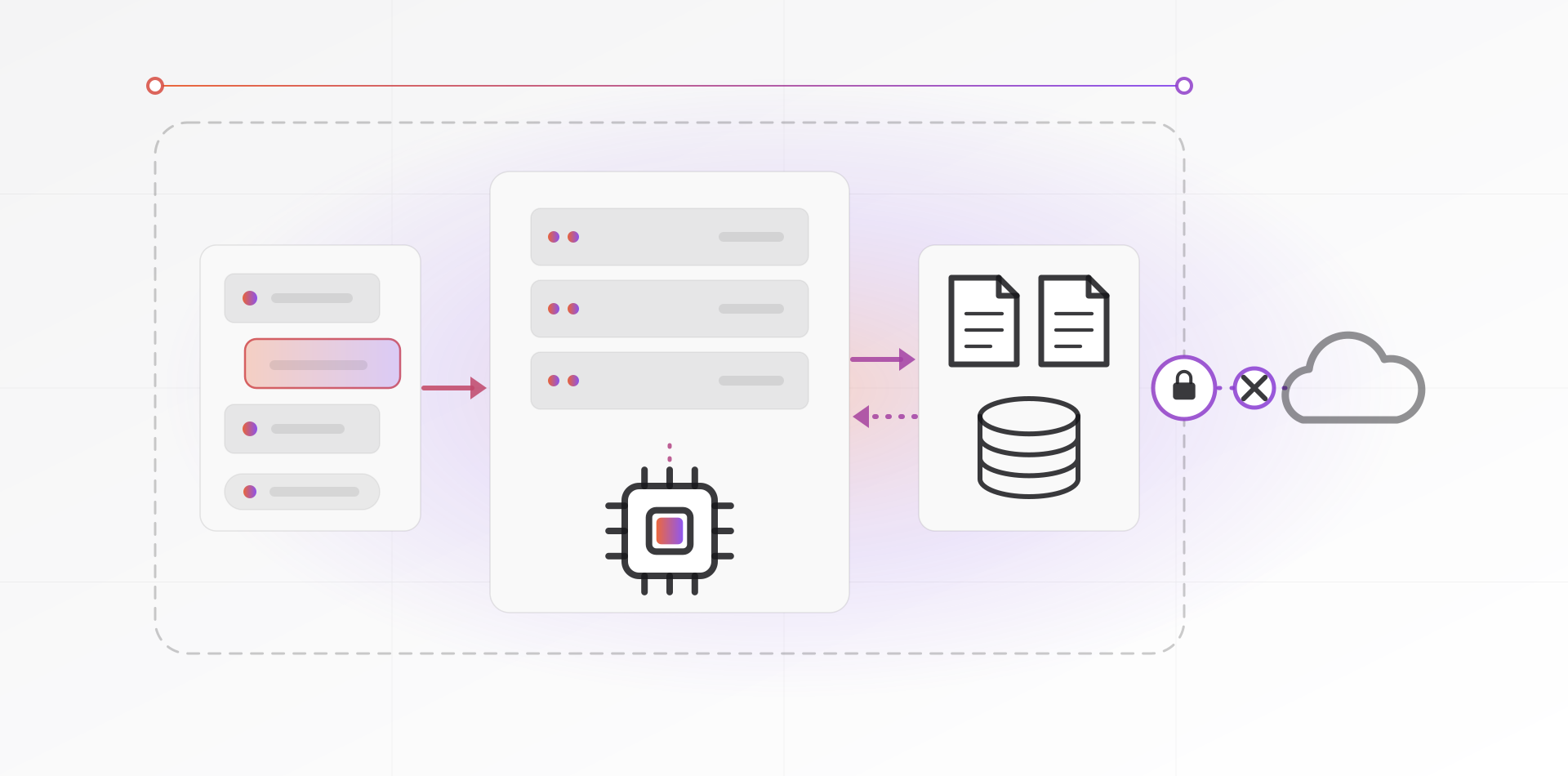
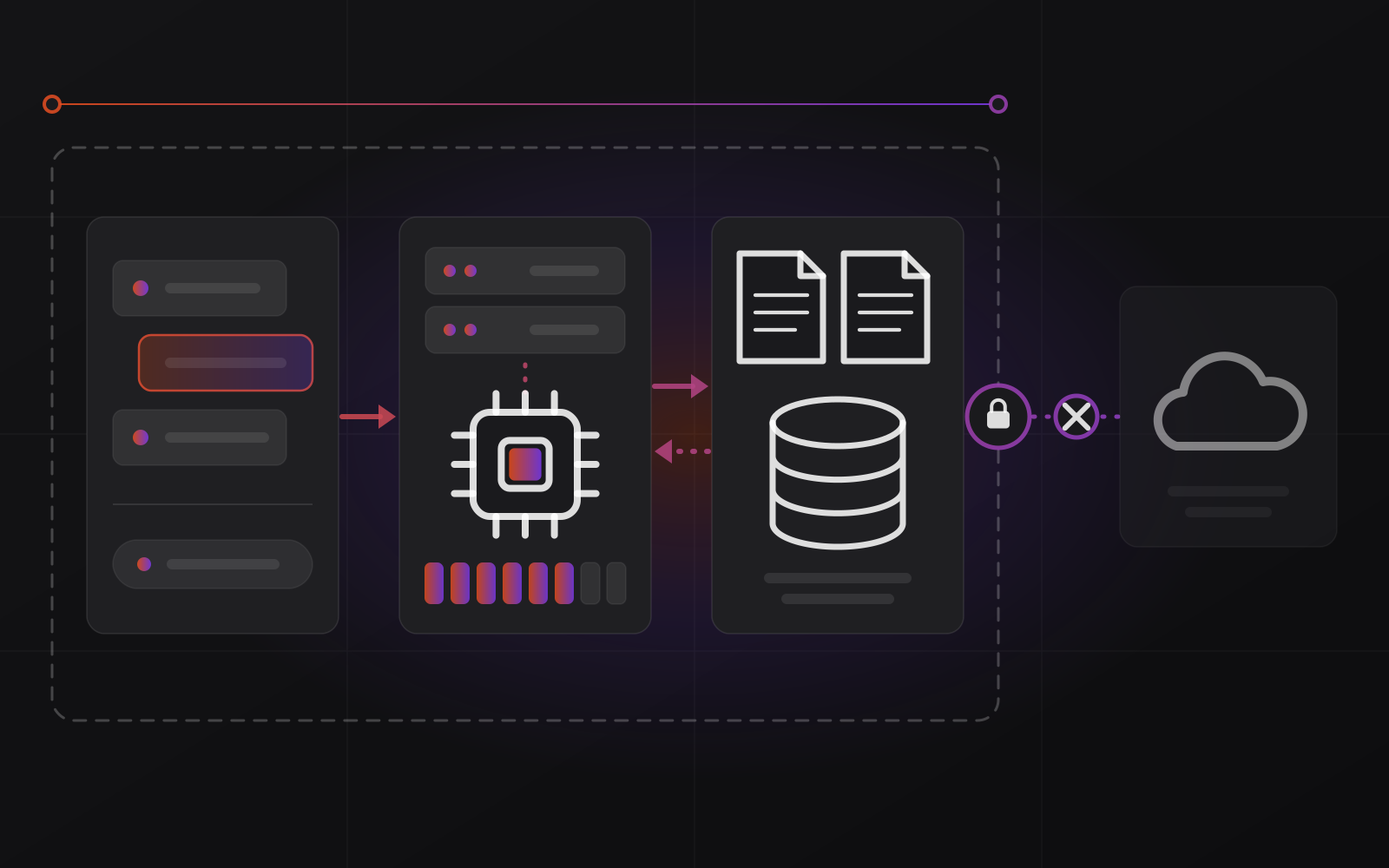
The diagram shows the shape. People talk to a chat app, the app talks to the model server, and the server reads your documents. Everything sits inside the dashed line, and the public cloud stays outside it. Keep the server off the public internet. Staff reach it over the office network or through a VPN.
Hardware in plain terms
GPU memory decides model size
A model is a very large file of numbers. To answer quickly, the whole file must sit in the memory of a graphics card (GPU), next to a working area for your prompt. If it doesn't fit, it spills into regular memory and slows to a crawl. So the first question is never how fast the GPU is. It is how much memory the GPU has.
A rough rule: at full 16-bit precision, a model needs about 2 GB per billion parameters. An 8-billion-parameter model needs around 16 GB before the working area.
Quantization shrinks the file
Quantization stores the same numbers with fewer bits. Going from 16 bits to 8 roughly halves the memory. Going to 4 bits roughly quarters it. Quality drops a little with each step, and most teams settle on 8-bit or 4-bit versions. At 4 bits, an 8-billion model fits in about 5 GB. A 70-billion model needs roughly 40 GB.
Long documents cost extra. The model's working memory grows with the length of the text you feed it. Summarizing a 100-page contract needs more room than answering a short question.
Speed, users and the room it lives in
A GPU is far faster than a CPU for this work. A recent Mac with plenty of unified memory is a quiet way to run mid-size models for one or two people. NVIDIA cards have the widest software support and suit a shared team server. Size for peak hours, not the average, because every simultaneous user adds load.
A GPU server also needs power, cooling and quiet. It belongs in a rack or a ventilated room, not under a desk. Our server and infrastructure work covers that side, and the local server versus cloud guide helps you decide where it lives.
What local AI does well, and where it falls short
Four jobs work well on mid-size local models today.
- Drafting: first versions of emails, replies, product descriptions and reports that a person then edits.
- Summarizing: long email threads, meeting notes, call transcripts and supplier documents.
- Classification and extraction: tag incoming tickets, route emails, pull invoice numbers and dates into fields.
- Internal Q&A: answering questions from your own manuals and policies, with citations. This needs a retrieval layer, which our guide to asking AI about company documents explains.
Now the limits. Local models are generally weaker than the best cloud models at multi-step reasoning, hard coding problems, very long documents and less common languages. They still make things up with confidence. And you own the upkeep: new model versions, driver updates, security patches.
Local AI is not cheaper by default. It is cheaper when you use it every day.
A hybrid setup solves most of this. Route anything sensitive to the local model. Send hard, non-sensitive tasks to a cloud model under business terms. Open WebUI can offer both in one screen.
Never let the model act alone on anything that matters. A person reads the draft, checks the summary and approves the action.
A pilot plan you can run in a month
Don't buy a server first. Prove the use case on hardware you already have.
- Pick one job with real text, a clear owner and a result you can measure, such as first drafts of customer replies.
- Collect 20 to 30 real examples and strip out personal details you don't need.
- Install Ollama and Open WebUI on a spare workstation or a single-GPU machine.
- Run the same examples through two or three open models and through the cloud tool you use today. Have the owner score the results without knowing which is which.
- Only now decide on hardware, based on the smallest model that passed.
- Add the basics: user accounts, a patching schedule, backups of the configuration, and no exposure to the public internet.
- Review after a month: how often it was used, how much time it saved, and what staff complained about.
If the pilot fails, you spent a few days and raised no purchase order. If it works, you have the evidence to size a real server. Keep it patched like any other system.
Frequently asked questions about local AI for business
Is local AI really private?
Yes, if you set it up properly. Once a model is downloaded, tools like Ollama can run it with no internet connection, so prompts stay on your machine. Privacy still depends on the basics: user accounts, patched software, a server kept off the internet, and backups you control.
How big a GPU do I need for local AI?
It depends on the model. A small 4-bit model of around 8 billion parameters fits in a modest card. A 24 GB card handles models up to roughly 30 billion parameters at 4 bits. A 70-billion model needs about 40 GB or more, from a workstation card, two cards, or a Mac with large unified memory.
Can local models handle Arabic and French?
Support differs by model and size. Some models list Arabic officially and some don't, and Moroccan Arabic, especially written in Latin letters, is uneven. French is generally stronger. Test each candidate on your real texts before choosing, and keep a cloud fallback for the hard cases.
Is local AI cheaper than a cloud subscription?
Only at steady, heavy use. You pay for hardware, power and admin time up front, then very little per request. Low or occasional use is usually cheaper in the cloud. Count your real monthly usage first, then compare it with the vendors' published rates. For what a setup from us involves, see pricing.
Can I mix local and cloud AI?
Yes, and many teams should. Send confidential work to the local model and everything else to a cloud model under business terms. Open WebUI can connect to both. Write down which data goes where.
Where to go next
If you want help running a pilot or sizing a server, start with our AI services and the AI automation work we do for small teams. For the document side of the story, read how to build an AI knowledge base from company documents. Or write to us and tell us what you want the model to do.
Related articles